
 Horizon ExplorerWindows app
Finder for Windows: a file manager with columns, tabs and Quick Look
Horizon Explorer is a Finder-style file manager for Windows. See your path in Miller columns, keep folders in tabs, and press Space to preview a file.

Everything you need to browse files
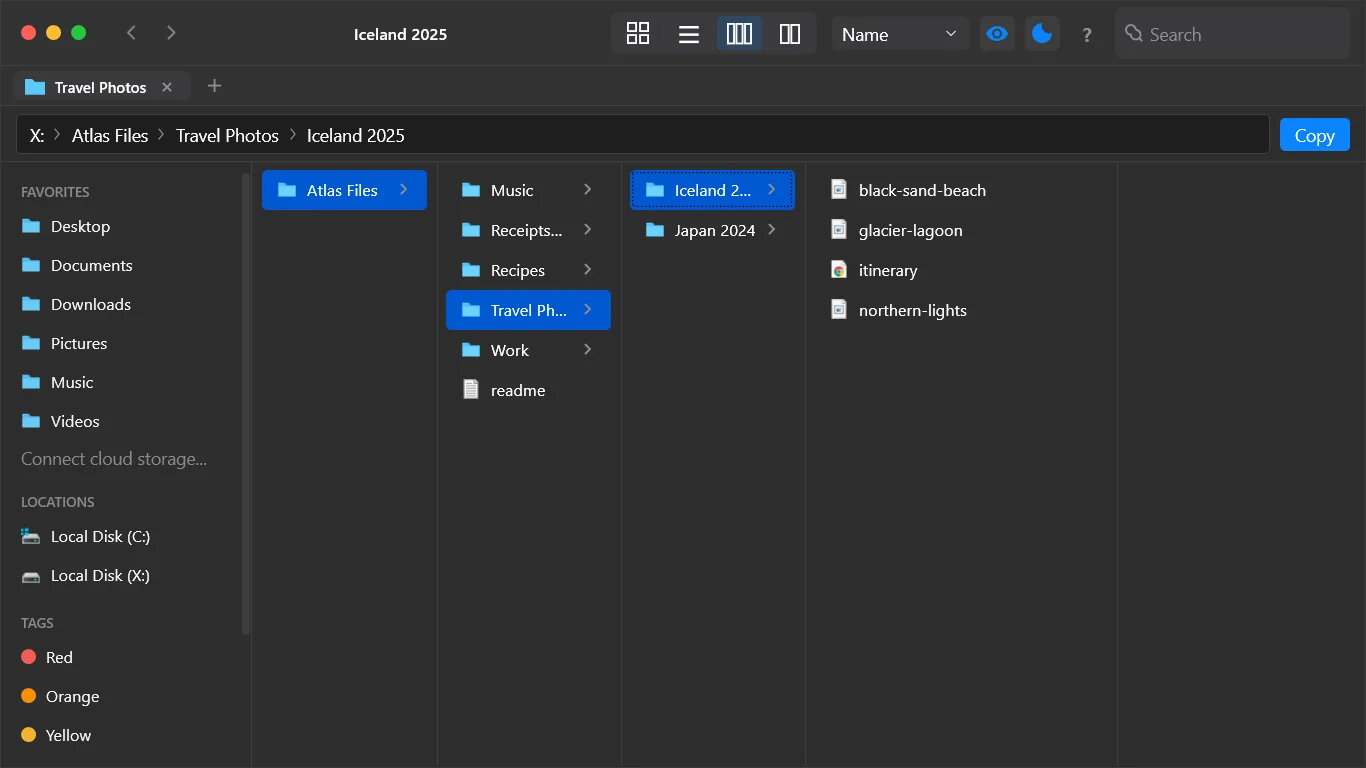
Miller column view
Open a folder and watch its contents unfold column by column. You always see where you are and can jump back with one click.
Tabs in one window
Keep several folders open at once. Ctrl+T opens a tab and Ctrl+W closes it.
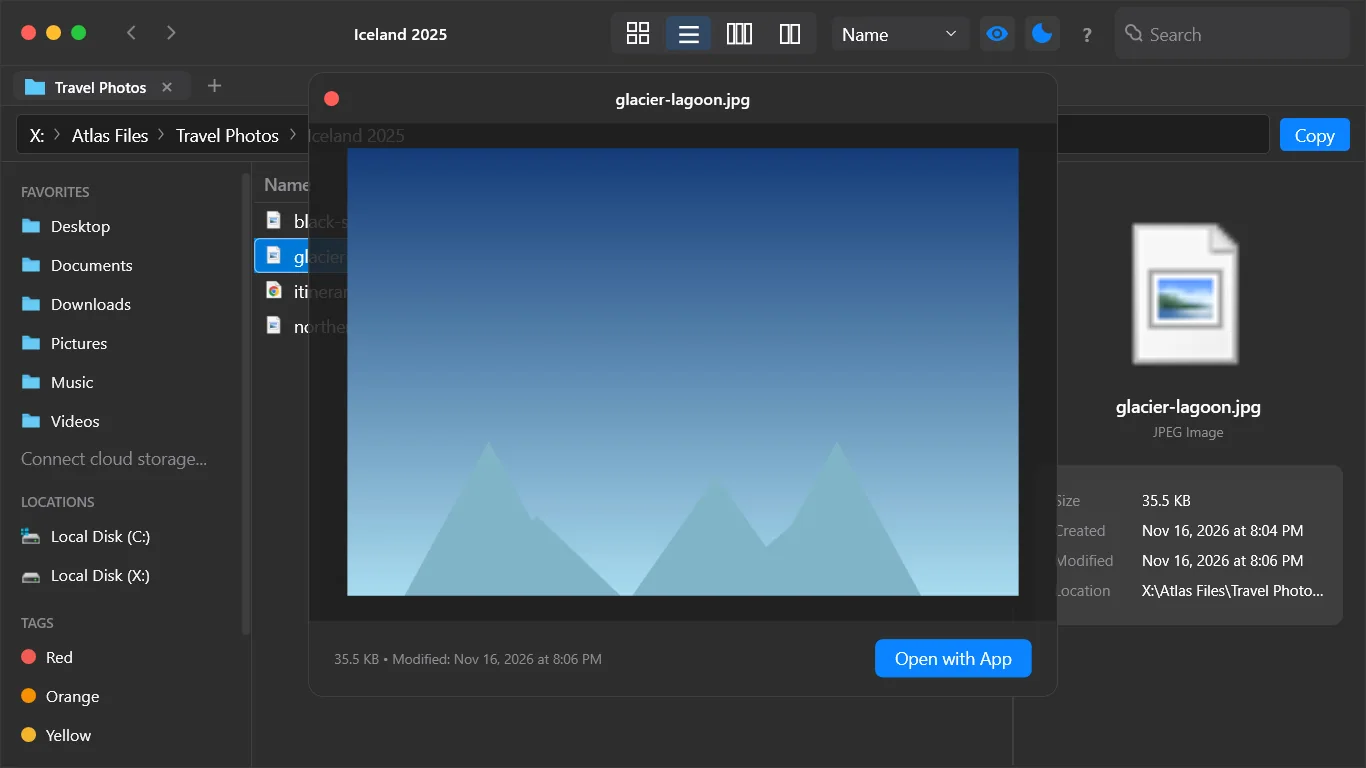
Quick Look previews
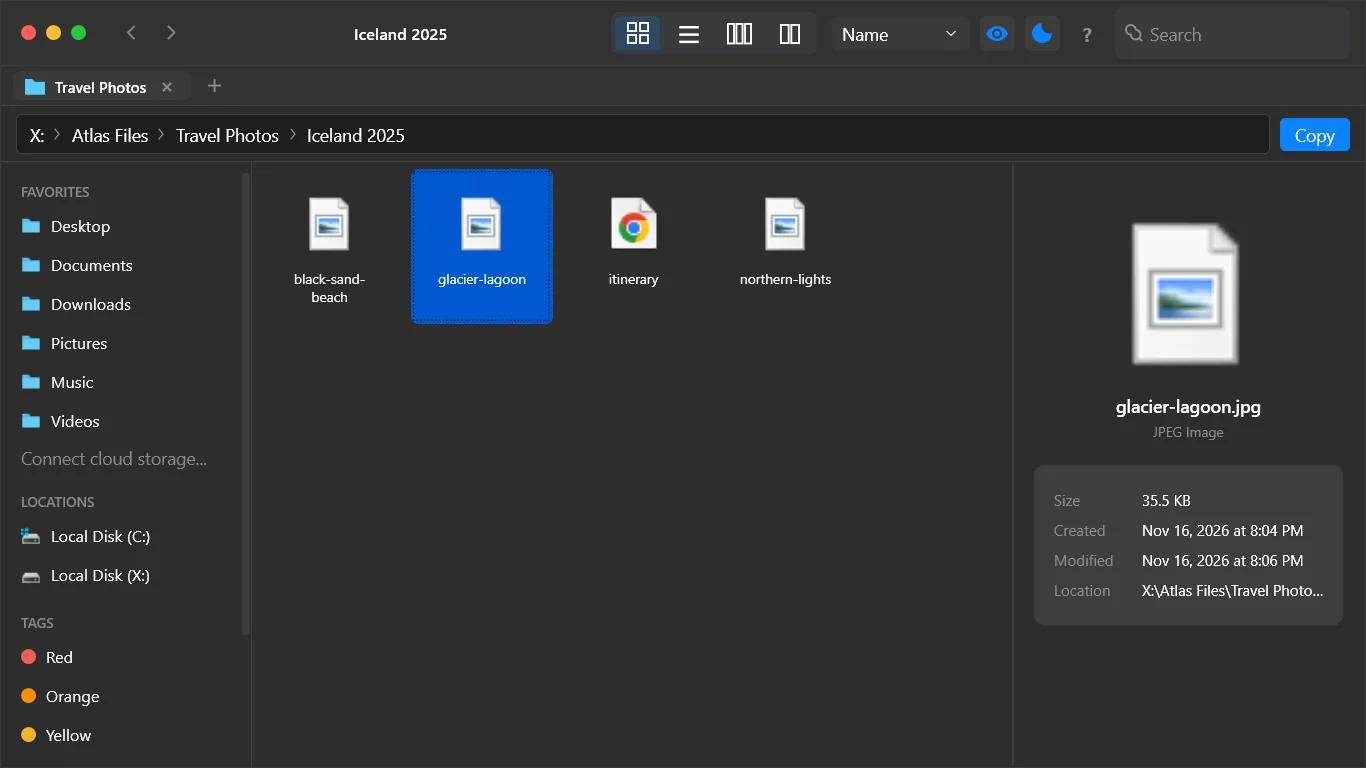
Press Space to preview an image or document without opening it. A preview pane also shows size, dates and location.
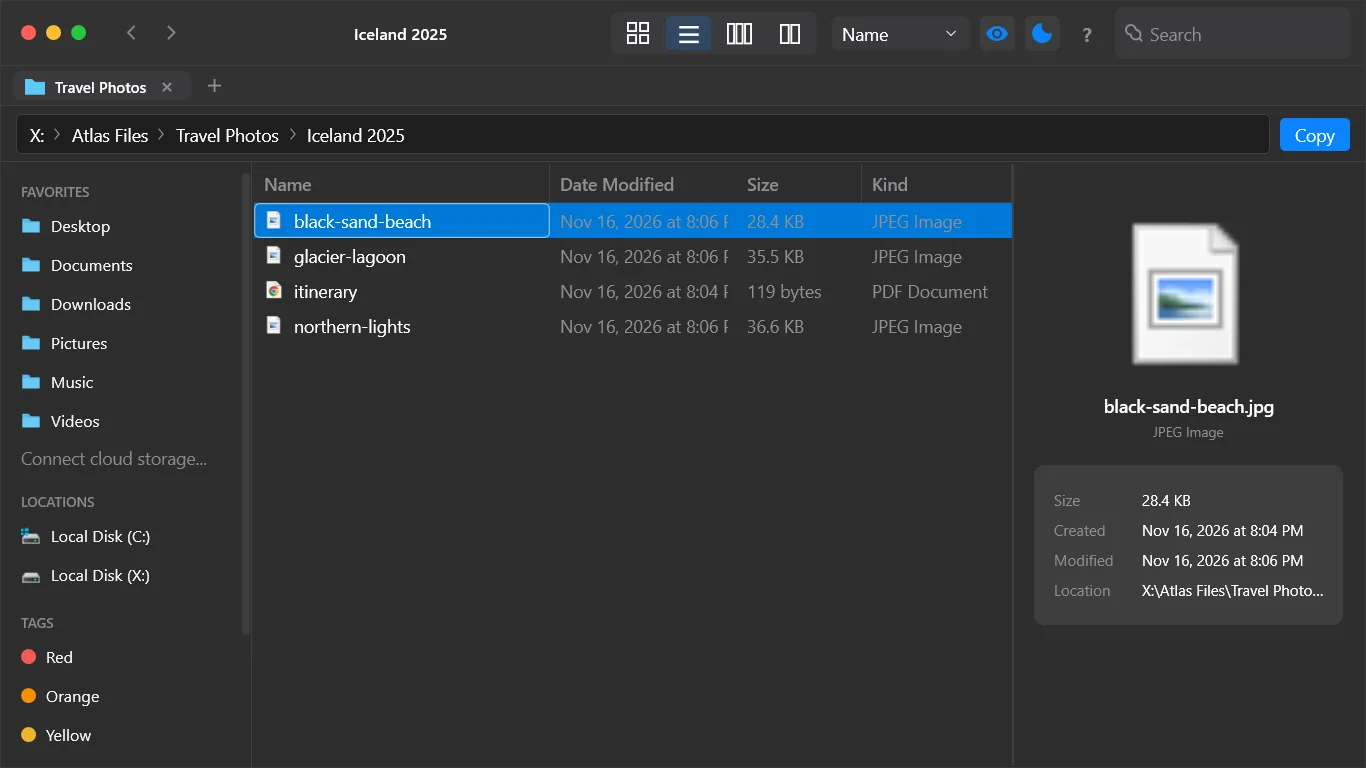
Icon, list and dual-pane views
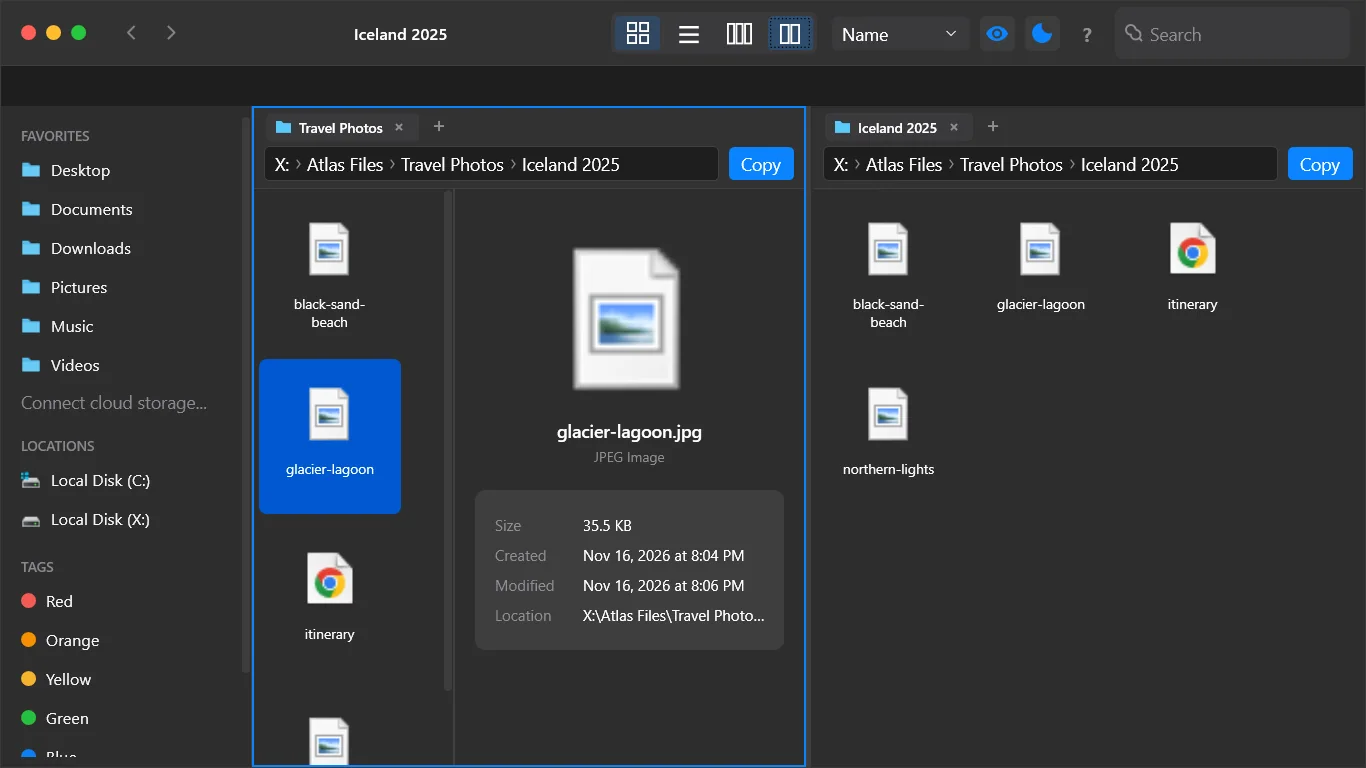
Switch views for the job and sort by name, date, size or kind. Press F3 for dual pane to move files between folders.
Color tags
Mark files with red, orange, yellow, green, blue, purple or gray tags and find them from the sidebar.
Safe file actions
Undo with Ctrl+Z. Delete goes to the Recycle Bin by default, and Shift+Delete removes a file permanently.
How it works
- Get it from the Microsoft Store and start the free trial.
- Open a folder and browse in columns, icons, list or dual-pane view.
- Press Space to preview, Ctrl+T for a new tab, and tag files you want to find fast.
Screenshots
Great for
Switching from Mac
Get the column view, Space-bar preview and color tags you know from Finder on a Windows PC.
Sorting photos and documents
Flip through files with Quick Look and tag the ones to keep, without opening each one.
Moving files between folders
Use dual-pane view or tabs to copy and move files between two places at once.
FAQ
Is Horizon Explorer a Finder for Windows?
It is a Finder-style file manager for Windows. It has Miller columns, Quick Look, color tags and tabs. It is not made by Apple and does not use Apple software.
Is Horizon Explorer safe and private?
Your files stay on your PC. It has no ads, no analytics and no account with the publisher, and it does not collect personal data. The app only checks your Store license or trial through Windows.
Is it free?
It is a paid app with a free trial managed by the Microsoft Store. There are no in-app purchases.
Can I open it with Win+E?
Yes, as an option. You can make Horizon Explorer your default folder handler and open it with Win+E.
How do I preview a file without opening it?
Select a file and press Space to open Quick Look. It previews images and documents. The preview pane also shows size, dates and location.
What do I need to run it?
A Windows PC with the Microsoft Store. A keyboard and mouse are recommended. The app is in English. Cloud storage sign-in with OneDrive or Google Drive is optional.
Try Horizon Explorer free from the Store