 Reclaim — Disk CleanerWindows app
Disk Cleaner for Windows That Explains What It Removes
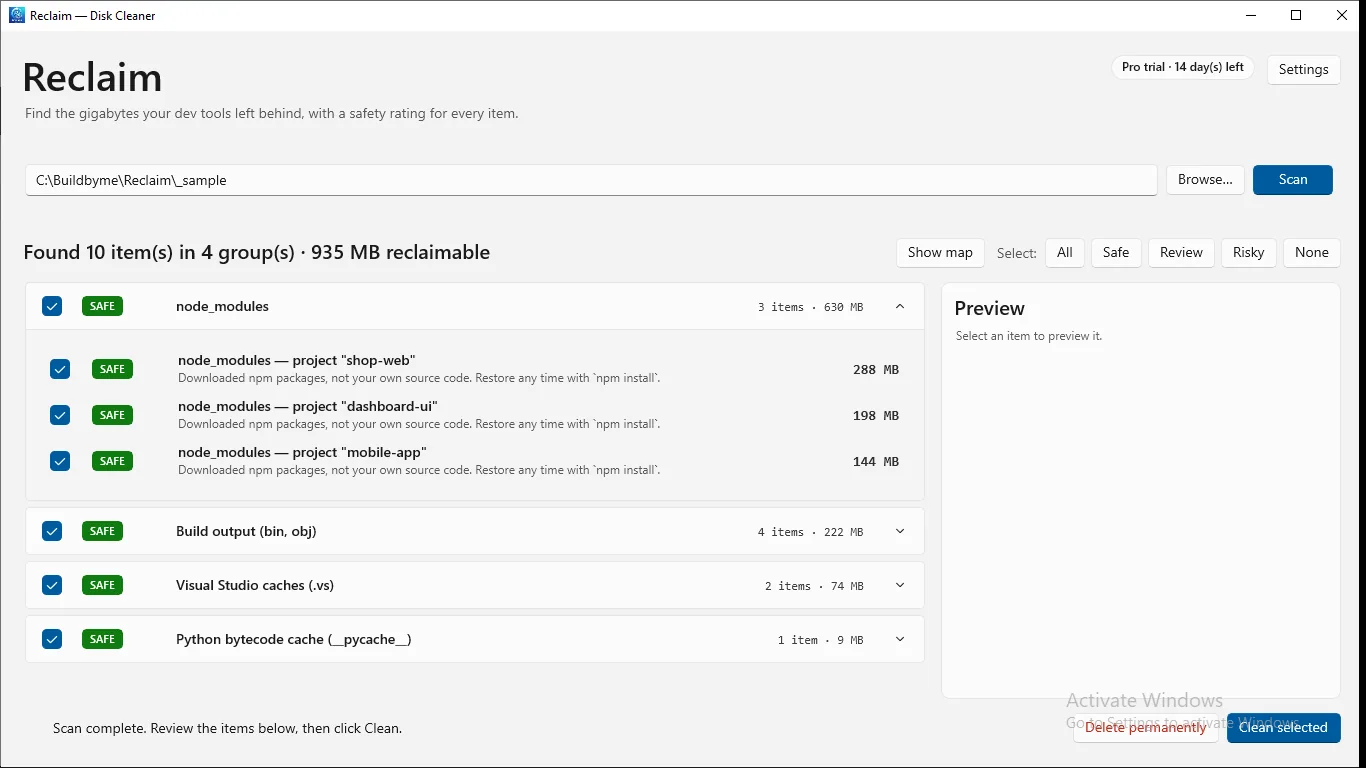
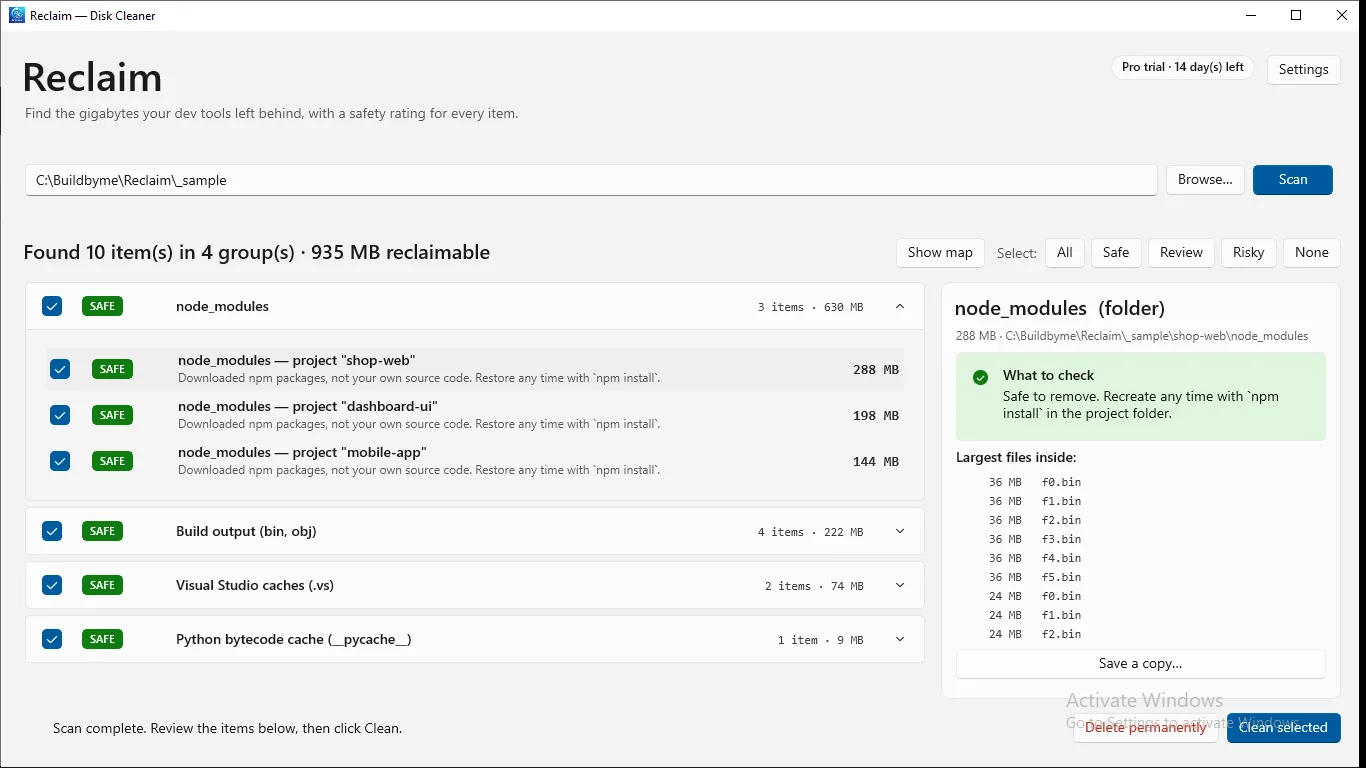
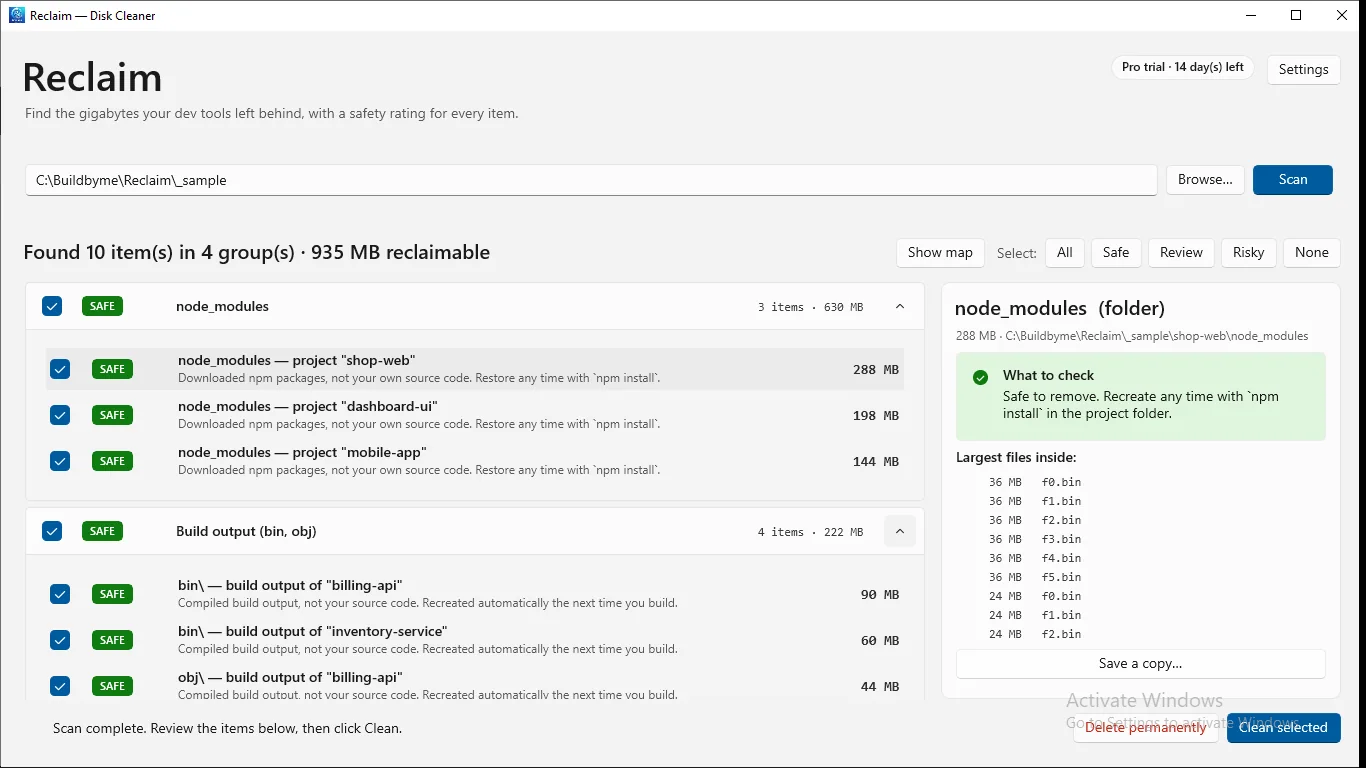
Reclaim scans a drive or folder, shows what takes the space, and labels every item Safe, Review or Risky. Cleaned items go to the Recycle Bin with Undo.

Free up disk space with confidence
Safe, Review or Risky labels
Every suggestion comes with a plain-language reason, so you know why an item can go before you remove it.
Undo, even after a restart
Cleaned items go to the Recycle Bin. A local undo journal lets you restore them later.
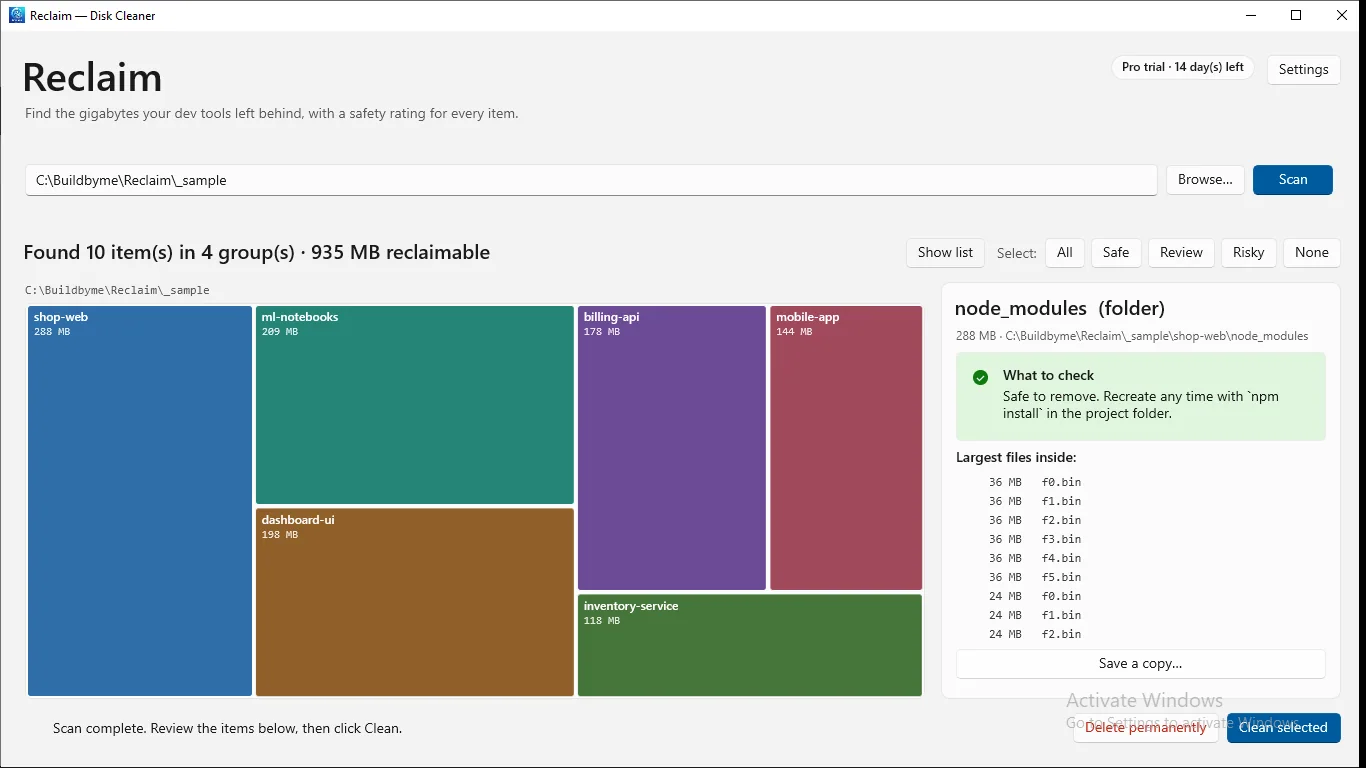
Treemap disk usage view
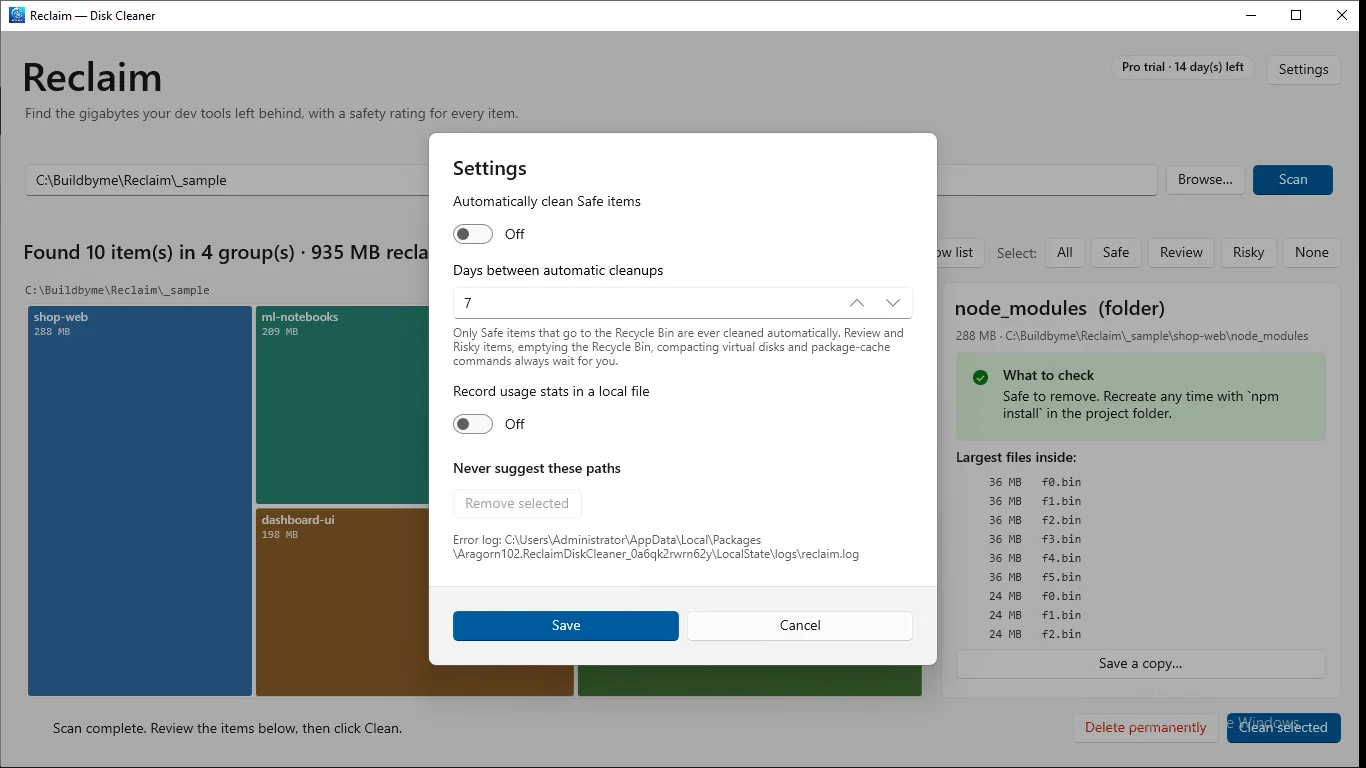
See which folders take the most space at a glance, then drill down in one click.
Fast scan of any drive or folder
With administrator rights Reclaim reads the NTFS file table directly. Without them it falls back to a regular scan.
Protected areas stay protected
Risky items and system areas are never deleted. Add exclusions for folders you never want suggested.
Developer-aware clean-up
Detects projects open in Visual Studio or VS Code and finds build output, caches and more (some rules need Pro).
How it works
- Get it from the Microsoft Store and open Reclaim.
- Pick a drive or folder and scan. Review the labels and the preview.
- Select what you want to clean. Undo from the journal if needed.
Screenshots
Great for
Your C: drive is almost full
Clear temp files, browser caches, Windows.old, the Update cache and crash dumps for free.
Find what is hogging space
Use the treemap to spot the biggest folders before you decide what to delete.
Developer machines
Reclaim node_modules, bin/obj, .venv, package caches and Docker/WSL disks with Pro.
Reclaim Pro
- Developer rules: node_modules, bin/obj, .vs, target, .gradle, __pycache__, .venv
- npm, pip and NuGet cache clean-up
- Docker and WSL virtual disk compaction
- Duplicate files and large files untouched for a long time
- 14-day Pro trial included
Without Pro you still see how much space these items use, but they are locked.
FAQ
Is Reclaim a free disk cleaner for Windows?
Yes. The core app is free and cleans temp files, browser caches, Windows.old, the Windows Update cache, thumbnails, crash dumps and the Recycle Bin. Developer rules need the optional Pro add-on.
Is it safe to clean my disk with Reclaim?
Each item is labelled Safe, Review or Risky with an explanation. Risky items and system areas are never deleted. Cleaned items go to the Recycle Bin and can be undone. Still review suggestions first.
Does Reclaim send my files or data online?
Scanning and cleaning happen on your PC. Only the 14-day trial and licence check contacts a server over HTTP, sending an anonymous machine ID, not file names or contents. No ads, no account.
How do I free up space on a developer PC?
Reclaim Pro finds node_modules, bin/obj, .venv, npm/pip/NuGet caches, Docker/WSL disks, duplicates and old large files. You can see sizes in the free version.
Do I need administrator rights?
No. With them, scans are faster because Reclaim reads the NTFS file table. Without them it uses a regular folder scan and still returns results.
What does Reclaim Pro cost?
Pro is a one-time purchase of 9.99 USD through the Microsoft Store, with a 14-day trial. The app is in English and runs on Windows.
Get Reclaim from the Microsoft Store