 MergeShotWindows app
Combine images and stitch screenshots into one picture
MergeShot is a fast, offline image combiner for Windows. Drag in your photos, pick a layout, and save. Free, no watermark, no ads, no account.

Everything you need to merge images
Side by side, column or grid
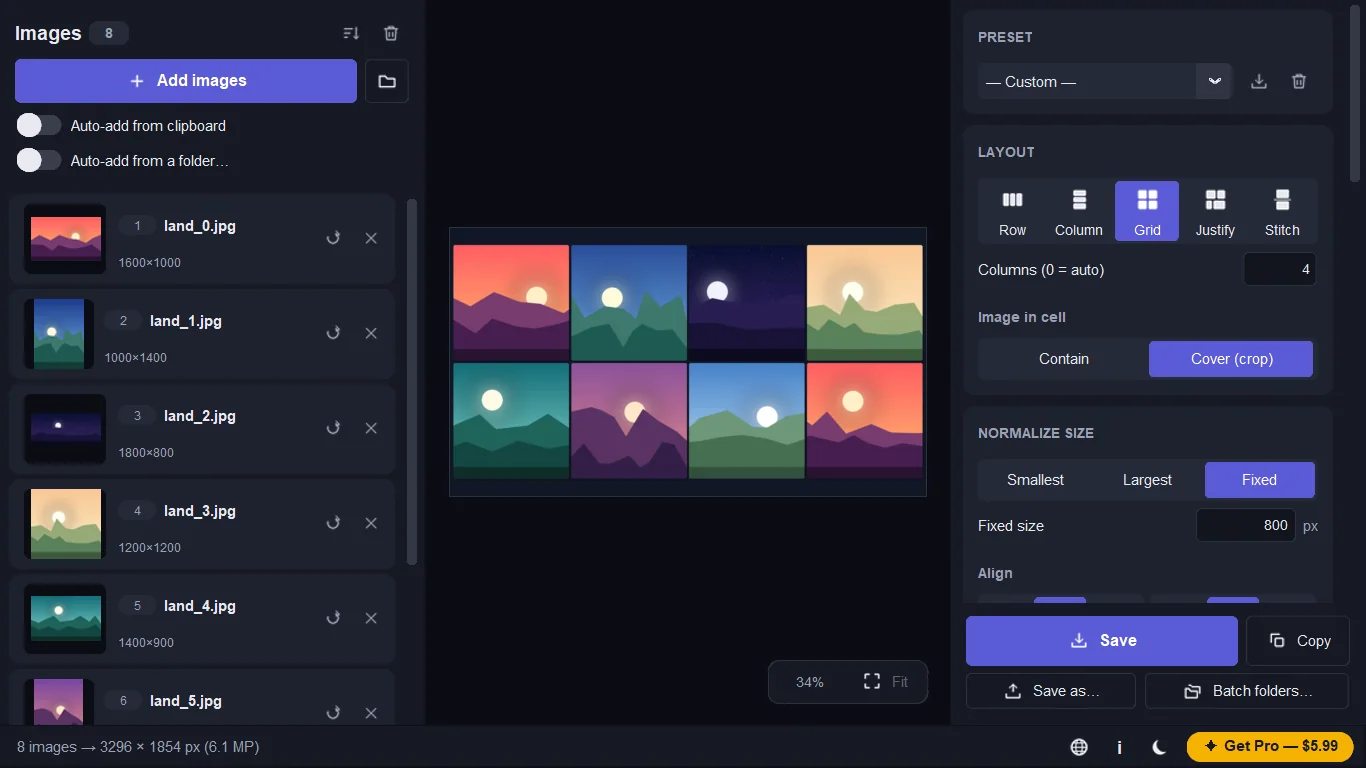
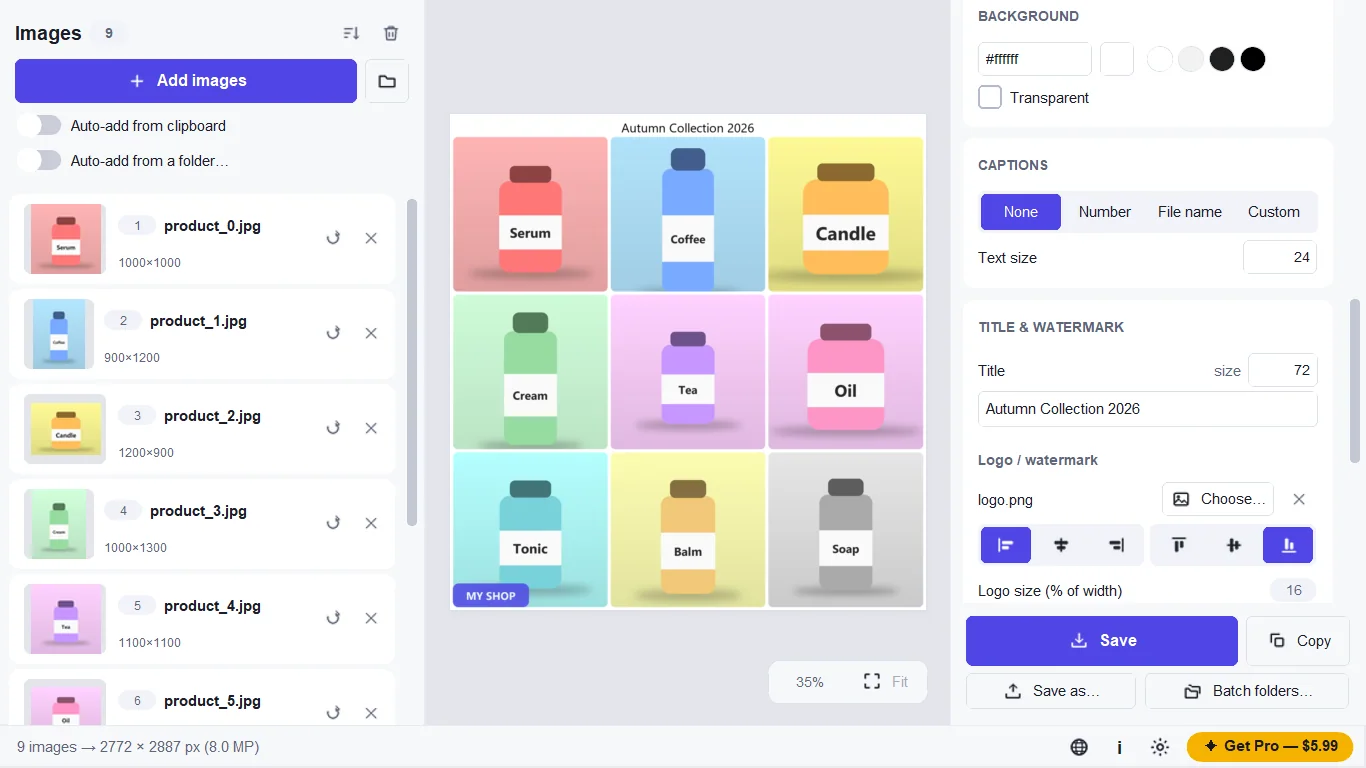
Put photos in a row, stack them in a column, or build a grid. Different sizes are auto-aligned: no stretching, no gaps.
Justified photo wall
Mix tall and wide photos in rows that fill the full width with equal heights. Free to use.
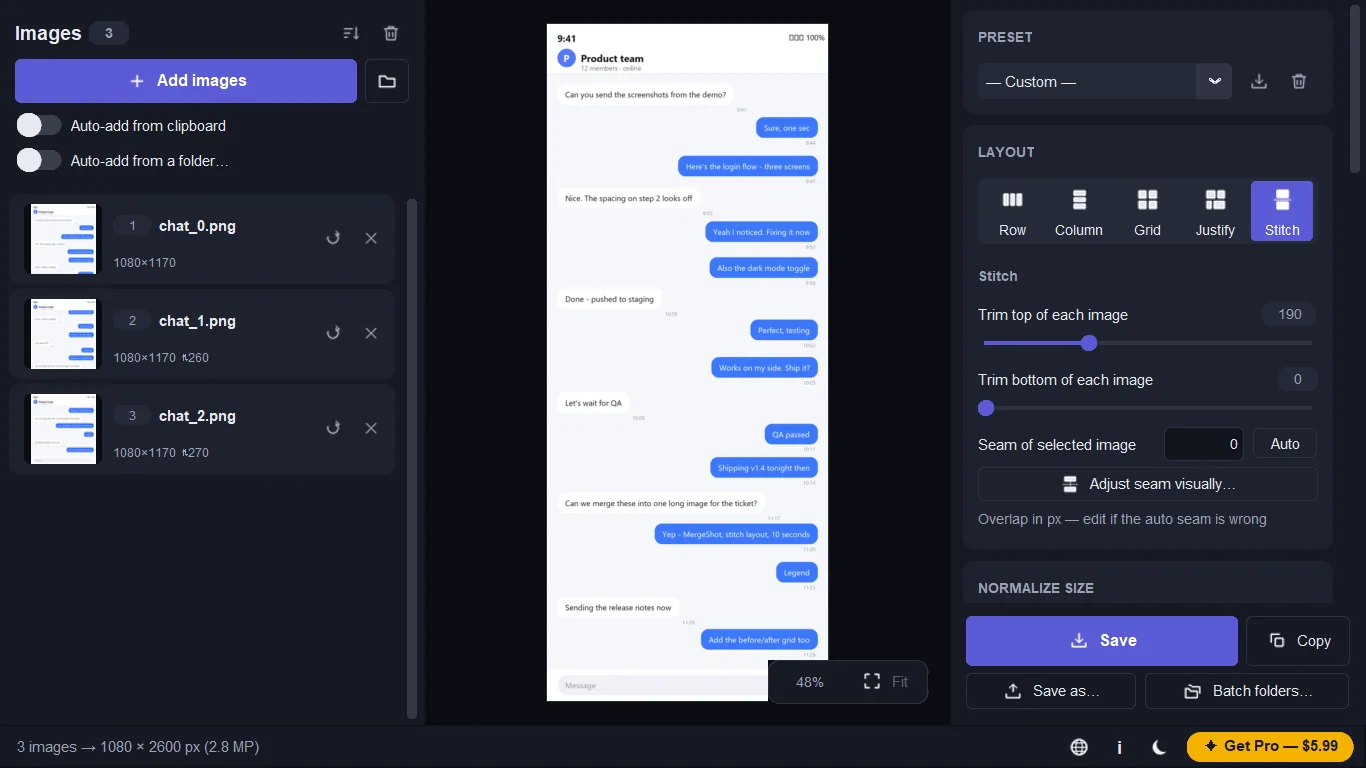
Stitch scrolling screenshots
Join long chats, order pages and documents into one long image. Pro adds automatic overlap detection and a seam editor.
Ready for social media
Pick 1:1, 4:5, 16:9, 9:16 or A4. Add gaps, borders, rounded corners, shadows, captions, a title and your own logo.
Fast from clipboard or Explorer
Paste with Ctrl+V, auto-add every Win+Shift+S capture, or right-click images in Explorer and choose Merge with MergeShot.
PNG, JPG, WebP, PDF or GIF
Import PNG, JPG, WebP, BMP, GIF and iPhone HEIC. Export to PNG, JPG, WebP, PDF or animated GIF, or copy to the clipboard.
How it works
- Get it from the Microsoft Store and open MergeShot.
- Drop in images, click Add images, or press Ctrl+V. Choose Row, Column, Grid, Justify or Stitch.
- Press Ctrl+S to save, or Ctrl+Shift+C to copy the result.
Screenshots
Great for
Product photos and collages
Show items side by side in the right ratio for each platform, with your logo and a title on the result.
Bug reports and before/after
Put screenshots next to each other, add captions, and stitch long error logs or chats into one image.
Homework and documents
Arrange photos and figures in a numbered grid and export them as one PDF.
Long phone chats
Turn a series of scrolling screenshots into a single long picture you can share.
MergeShot Pro
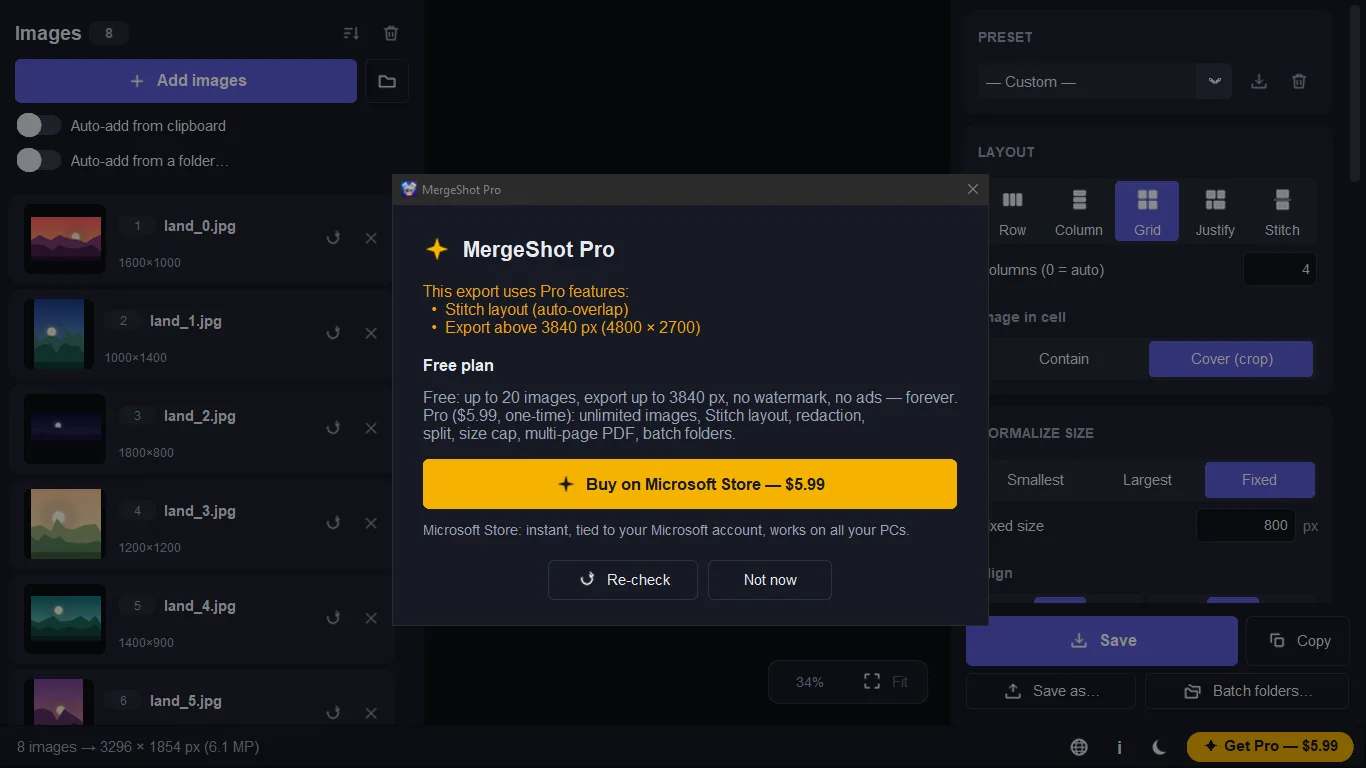
- More than 20 images per merge and export larger than 3840 px
- Stitch layout with automatic overlap detection and a seam editor
- Pixelate or black out names, emails and card numbers
- Split a long image into parts by height or ratio
- File size cap, such as under 500 KB
- Multi-page PDF and batch folders
One purchase through the Microsoft Store, no subscription. The Free plan never expires and never adds a watermark.
FAQ
How do I combine images into one picture on Windows?
Open MergeShot, drop your images in, and choose Row, Column, Grid or Justify. Adjust gap, background and size, then press Ctrl+S to save.
Is MergeShot free?
Yes. Free covers up to 20 images per merge and export up to 3840 px, with no watermark and no ads. Pro is an optional 5.99 USD one-time purchase.
Are my photos uploaded anywhere?
No. MergeShot processes images on your PC and makes no network requests. There is no account. EXIF data such as location is removed from exports by default.
How do I stitch scrolling screenshots into one image?
Add your screenshots in order and choose Stitch. Pro finds the overlap automatically and lets you drag the seam to fix tricky pages.
Which image formats does it support?
You can import PNG, JPG, WebP, BMP, GIF and HEIC. You can export PNG, JPG, WebP, PDF and animated GIF, or copy the result to the clipboard.
What does it run on, and what languages?
MergeShot is a Windows app from the Microsoft Store. The interface is in English, Vietnamese, Simplified Chinese, Japanese, German, Spanish and Brazilian Portuguese.
Get MergeShot from the Microsoft Store