 Compare Text & FoldersWindows app
Compare text and files side by side, word by word
Paste two texts or drop two files and see exactly what changed. A free, private text compare tool for Windows that works fully offline.

Everything you need to spot a change
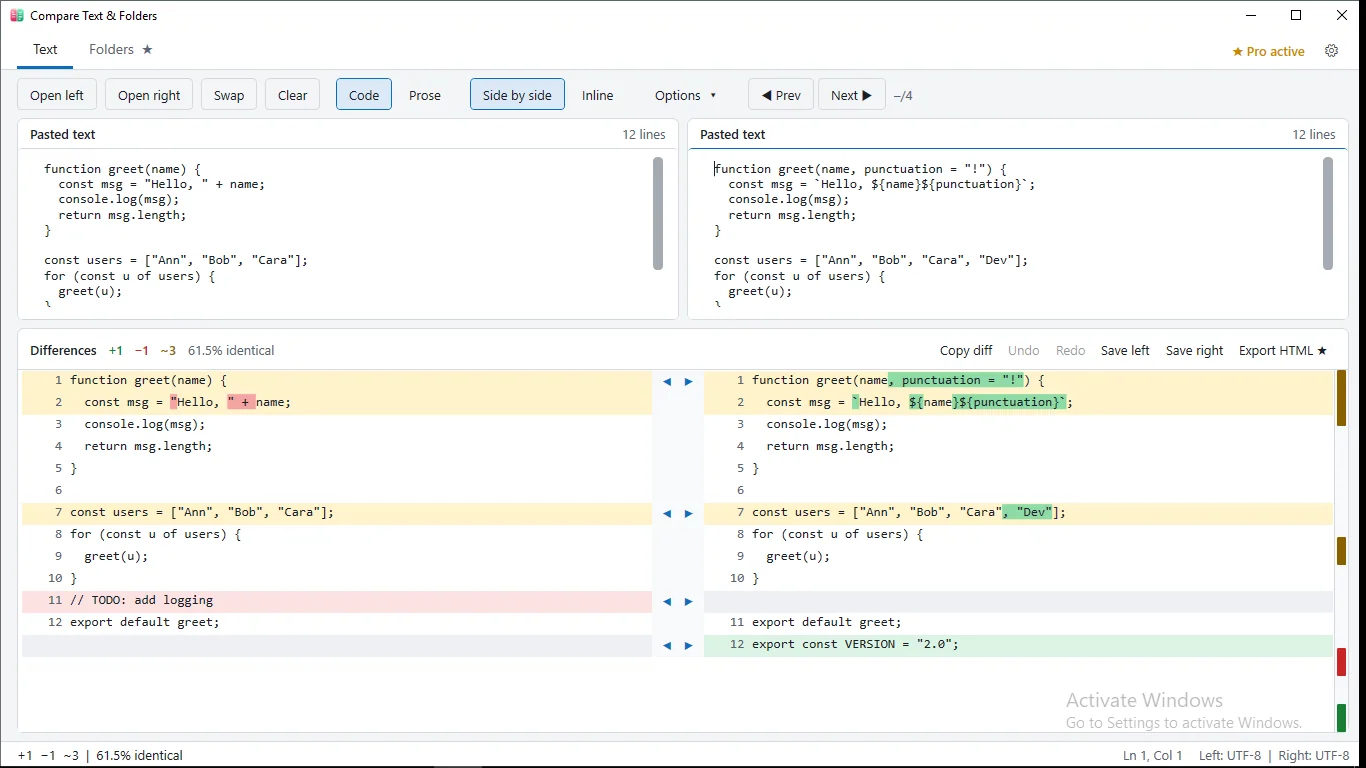
Word-level highlights
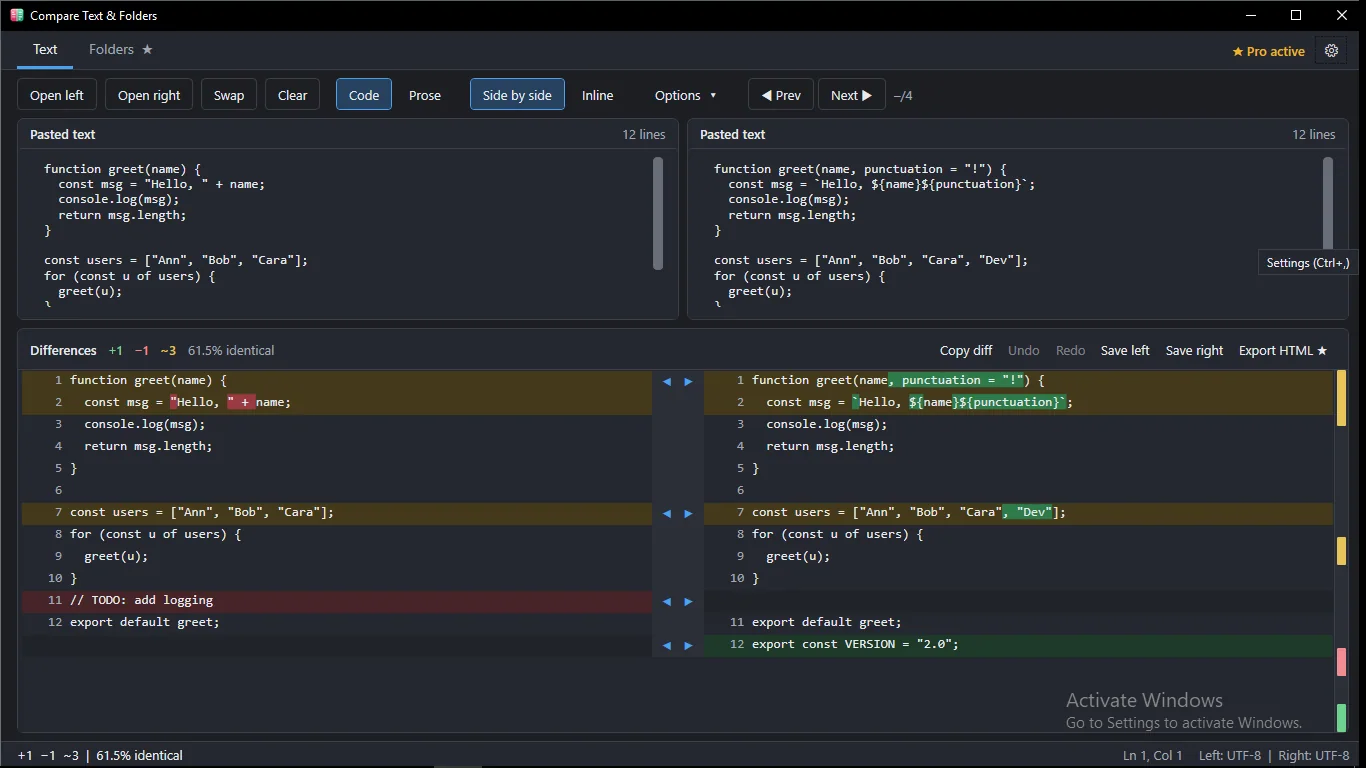
Added, removed and edited lines are color-coded, and the exact words or characters that changed are highlighted inside each line.
Paste, open or drag and drop
Paste text into two panes, open files, or drop one or two files on the window. UTF-8, UTF-16 and ANSI files are detected for you.
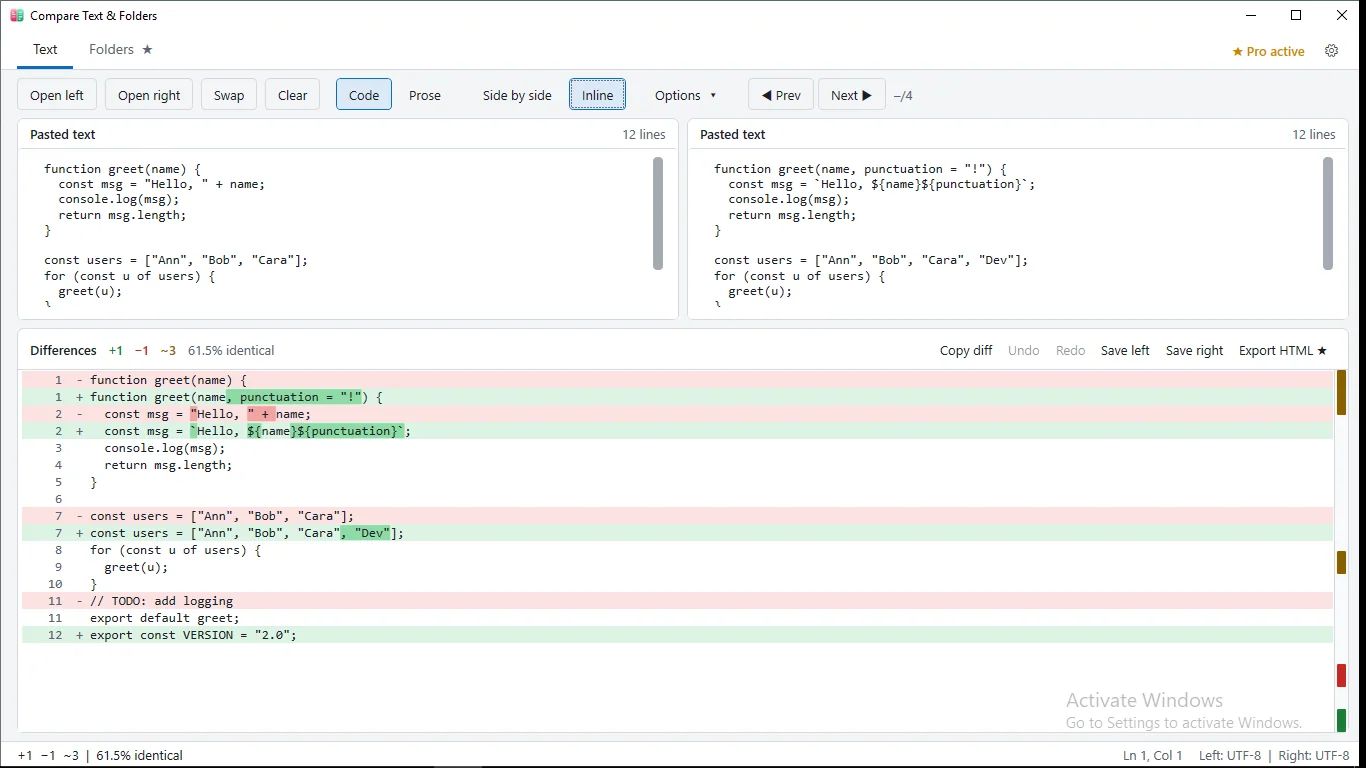
Side-by-side or inline view
Switch between a two-pane view and a compact unified view. Copy the result as a unified diff when you need to share it.
Code and Prose modes
Compare line by line for code and configs, or by paragraph for essays and contracts, ignoring line wrapping.
Ignore the noise
Skip whitespace, letter case or blank lines. Jump between differences with F7 and F8 and watch live counts and percent identical.
Private and offline
No account, no ads, no analytics and no internet access. Your text and files are never uploaded.
How it works
- Get it from the Microsoft Store and open the app.
- Paste two texts, open two files, or drag them onto the window.
- Review the highlighted differences and jump through them with F7 / F8.
Screenshots
Great for
Check two versions of a document
See what changed between drafts of a contract, essay or report, down to the single word.
Compare configs and scripts
Find the one line that differs between two config files, scripts or code snippets before you deploy.
Review changes across folders
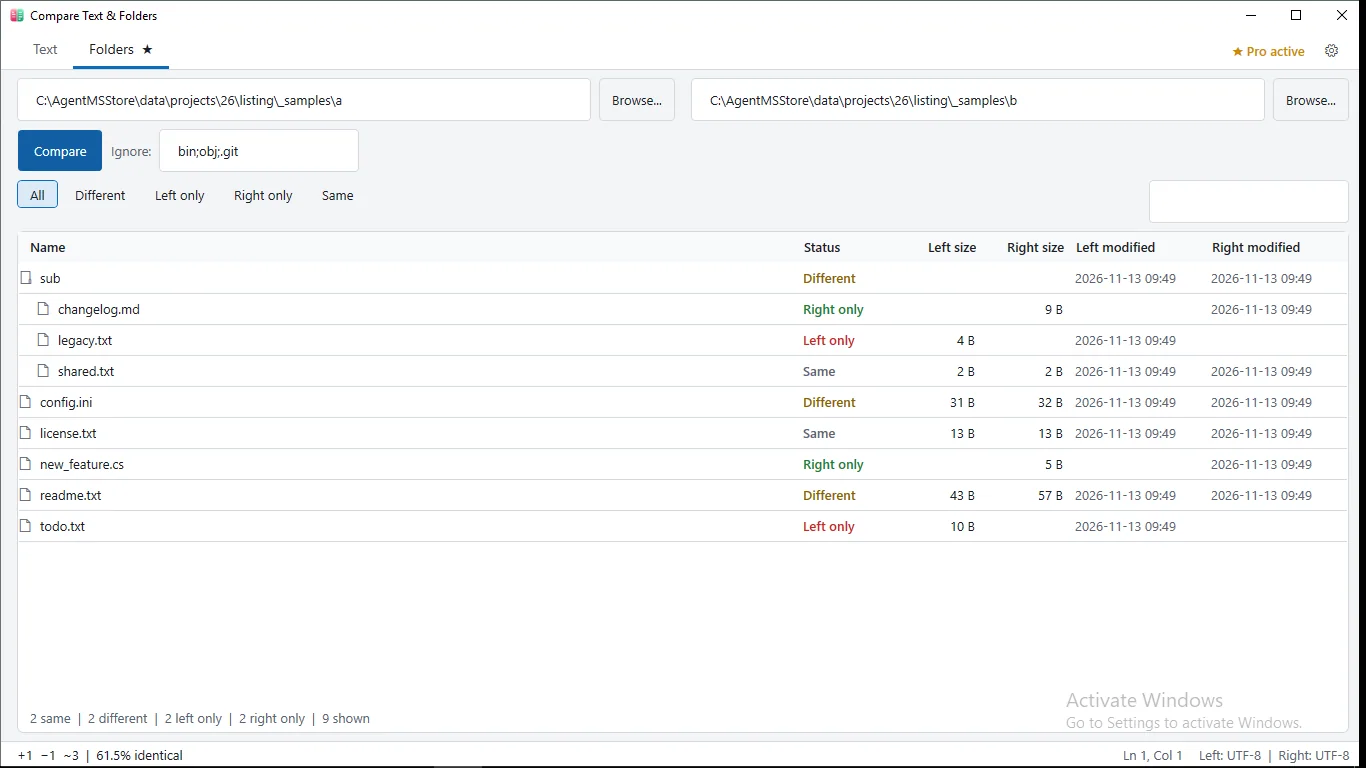
With Pro, compare two project folders and filter to different, left-only, right-only or identical files.
Pro (Lifetime)
- Folder comparison with filters, ignore patterns like bin;obj;.git and SHA-256 content checks
- One-click merge of changed blocks, with Undo / Redo and save
- Standalone HTML report export that opens in any browser
Text and file comparison always stays free. No subscription.
FAQ
Is Compare Text & Folders free?
Yes. Comparing pasted text and files is free. An optional Pro add-on unlocks folder comparison, merging and HTML reports for a one-time 4.99 USD purchase.
Is it safe? Are my files uploaded anywhere?
No. Everything happens on your PC. The app has no accounts, no cloud, no ads, no analytics and no internet access, so your text and files never leave your computer.
How do I compare two texts or files on Windows?
Paste text into the two panes, or open or drag in one or two files. Differences are highlighted automatically, word by word, in side-by-side or inline view.
Can I compare two folders?
Yes, with the optional Pro add-on. It compares folders recursively, lets you filter results and ignore patterns, and checks content with SHA-256.
Which file types and sizes does it support?
Text files in UTF-8, UTF-8 with BOM, UTF-16 and ANSI, up to 20 MB. Binary files are detected and reported instead of compared.
What do I need to run it?
A Windows PC with the Microsoft Store. The app is in English and is a lightweight desktop tool. A keyboard and mouse are recommended for the shortcuts.
Get Compare Text & Folders free